Expiroo is currently in closed beta on Google Play, which means access runs through a testers group rather than a public listing. Getting in takes two steps: you join the group, then opt in as a tester on Play. This guide walks through both, along with the fixes for the snags people usually hit.
A closed beta is exactly that — early. Spots are limited, you may run into a few rough edges, and the feedback you send genuinely shapes what gets built next. The whole time, Expiroo stays local-first: your inventory lives in a database on your phone, with no account to create.
What you need
Two things: an Android phone and a Google account. The detail that trips most people up: use the same Google account that's signed in to the Play Store on your phone. Beta access is tied to that account, so if you join the group with one address while your phone is signed in with another, the app simply won't show up. Check which account your Play Store uses before you start.
Step 1 — Join the testers group
First, join the Expiroo testers group. Open the Expiroo Testers group, sign in with the account you use on your phone, and join.
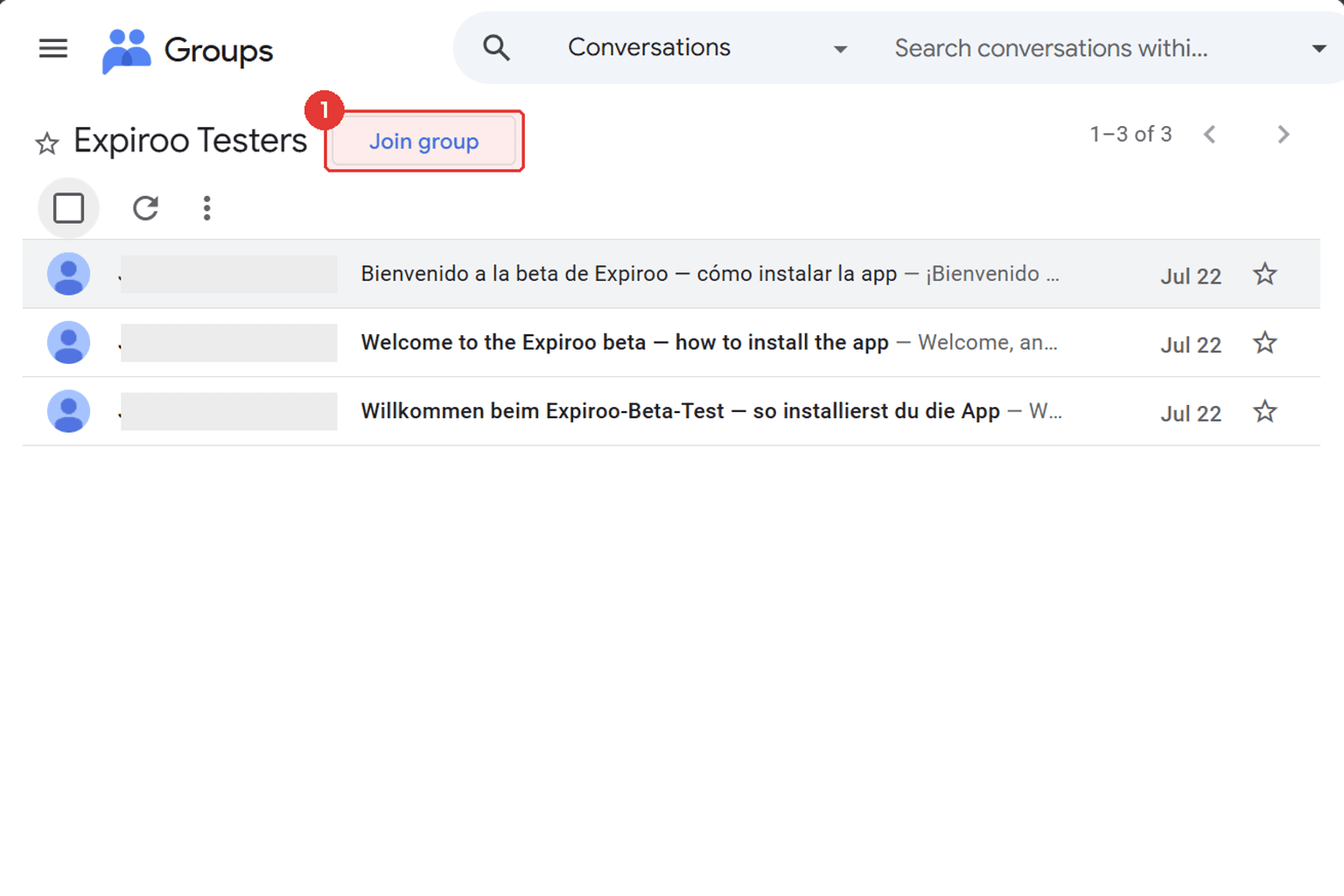
Joining the group is what unlocks the tester opt-in on Play — there's no confirmation email to wait for.
Membership is what unlocks the next step, so make sure it goes through before you move on.
Step 2 — Opt in as a tester on Google Play
Now open the Play testing page and, on that page, choose to become a tester.
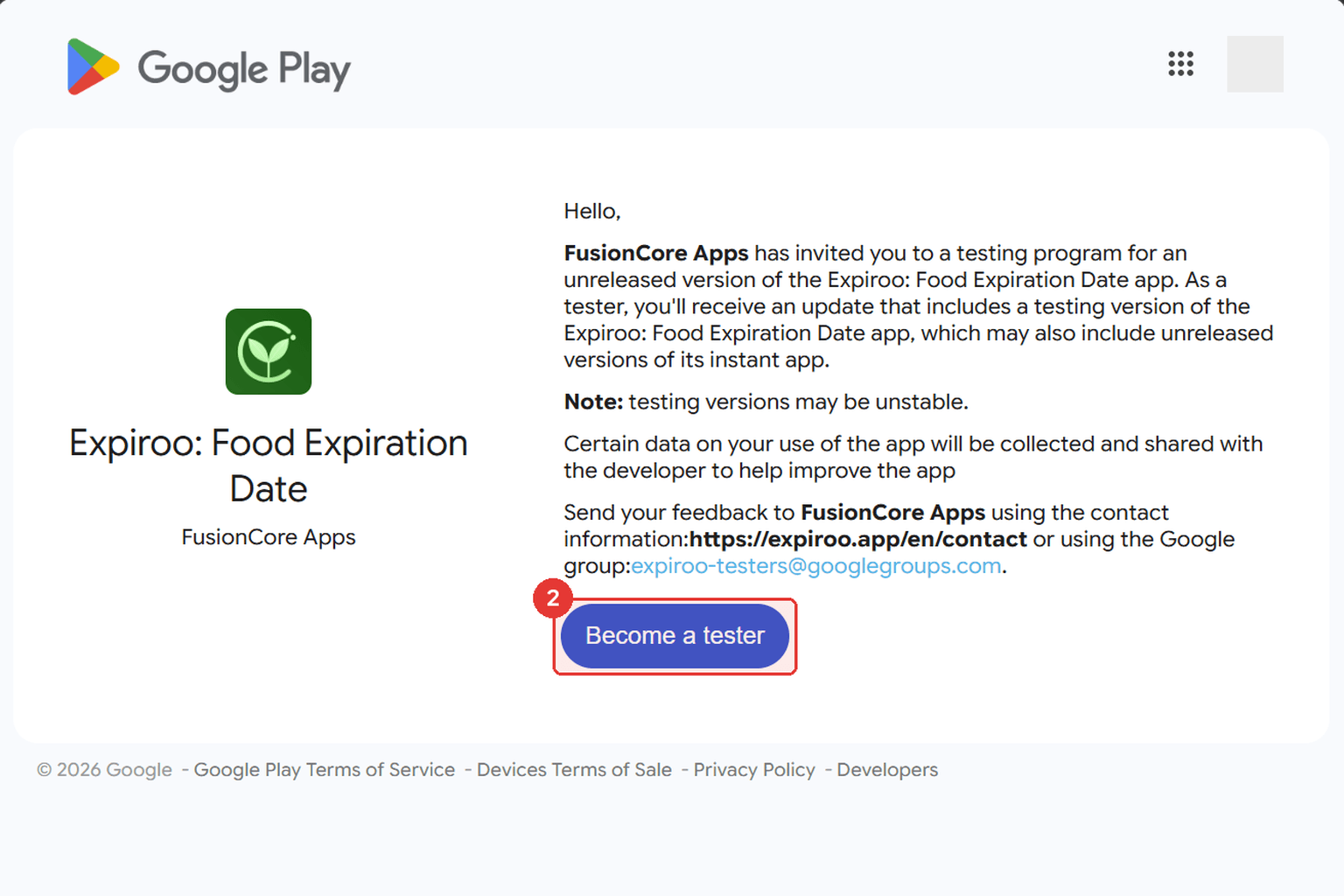
Once you're a tester, the same page gives you the link to download Expiroo from Play.
If the opt-in isn't there yet, don't worry — Google can take a few minutes to sync your new group membership. Give it a moment and refresh.
Step 3 — Install Expiroo from Play
With the opt-in done, install Expiroo like any other app from the Play Store. Updates arrive through Play automatically, so you'll always be on the latest beta build.
Expect the app to change often during the beta — features move, small things break and get fixed. If you hit a bug or have an idea, send it our way through the contact form. Beta feedback is the whole point, and it's the fastest way to influence where Expiroo goes next.
Troubleshooting
- The tester opt-in doesn't appear on the Play page. Group membership takes a few minutes to propagate to Play. Wait a bit, then refresh the page.
- "Item not found" when you tap the download link on your phone. Your phone's Play Store is almost certainly signed in with a different Google account than the one that joined the group. Switch to the right account and try again.
- Still stuck? Reach out through the contact form and we'll help you get in.
That's it
That's the whole flow — join the group, opt in on Play, install. If you'd rather start straight from the source, here's the Expiroo Testers group.